Product Description
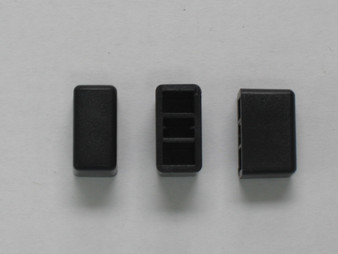
6-Piece Front Panel Push Button Set (Galaxy DX2547 OEM)
Restore pristine front-panel aesthetics, eliminate sticky or missing switch caps, and complete your base station restoration with this genuine OEM-spec 6-Piece Front Panel Push Button Set. Sourced under original Galaxy factory component specifications for the DX2547 base transceiver platform, this complete primary control button package replaces worn, discolored, or broken push button caps across all front-panel auxiliary feature switches.
Product Specifications & Included Components
- Included Component Set (6 Pieces Total):
- 4x Standard-Size Feature Push Buttons: ANL, NB, GNF (Galaxy Noise Filter), and Clarifier (Unlock/Mode Select)
- 2x Sub-Miniature Feature Push Buttons: RB (Roger Beep) and PA (Public Address)
- Material & Finish: High-Impact Molded ABS Plastic with Factory Match Chrome Plating / Labeling
- Mounting Style: Direct Slip-Fit / Friction Mount onto Front Sub-Board Push Switch Stems
- Quality Standard: 100% Factory Original Equipment Manufacturer (OEM) service replacement component
- Exclusion Notice: Does not include the main Power Push Button cap (Part # PT2537070A), which is available separately in our web store catalog.
- Compatible Radio Models:
- Galaxy DX2547 Base Station Transceiver
- Galaxy DX2517 (select front bezel revisions utilizing matching push-button arrays)
Bench Installation & Tech Notes
- Replaces missing, cracked, faded, or pitted push button caps resulting from extended exposure to UV light, skin oils, or mechanical stress.
- BENCH INSTALLATION PROCEDURE:
- Gently pull the worn button cap straight off the switch plunger stem using padded non-marring trim tools or needle-nose pliers wrapped in electrical tape to avoid scratching the front bezel faceplate.
- Clean any dust, residual grease, or debris off the sub-board switch shaft before mounting the new button.
- Align the square internal recess of the new push button cap with the switch actuator stem and press firmly straight back until it seats flush and operates smoothly without dragging against the bezel cutout.