


Product Description
Galaxy Rangwe Base Station Push Button Switch Board Assembly (Assembly # T-106D-P02 / Board # EPT295031Z)
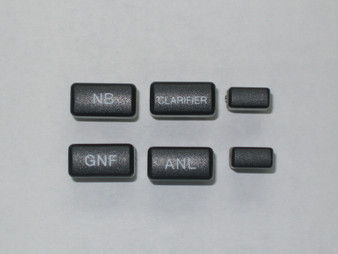
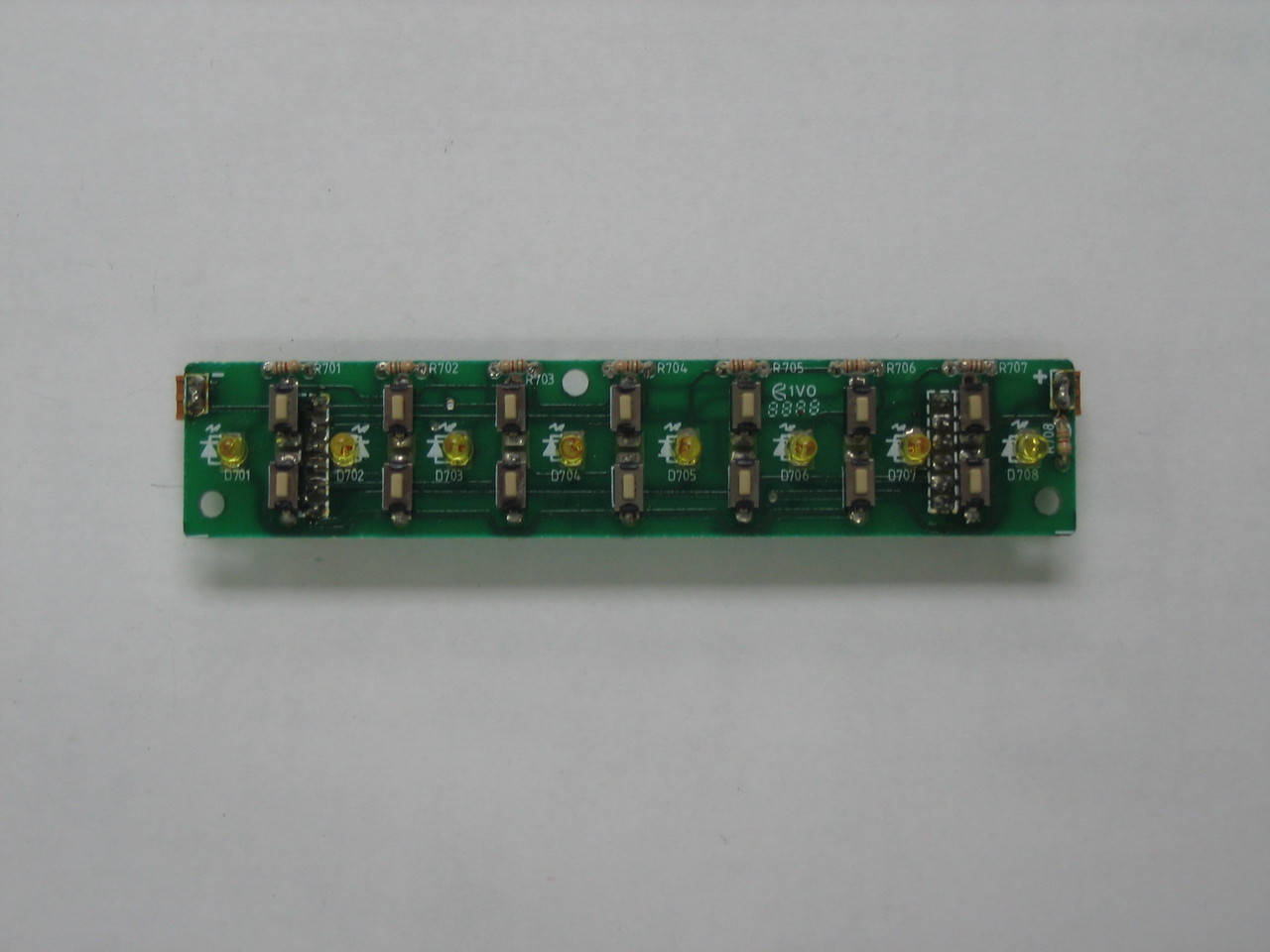
Restore crisp tactile action and reliable front-panel function switching to your desktop base transceiver with this genuine OEM Galaxy and Ranger Push Button Switch Board Assembly (Factory Assembly Number T-106D-P02, Circuit Board Number EPT295031Z). Engineered specifically for the Galaxy DX-2527 base station architecture and compatible heavy-duty desktop chassis, this factory pre-loaded sub-assembly comes complete with tactile push-switches, LED indicators, and resistors mounted directly onto the circuit board—allowing you to replace worn, intermittent, or physically damaged front-panel buttons without tedious individual switch desoldering.
⚠️ LETHAL 120V AC BASE STATION HAZARD, ESD & NO-RETURN POLICY WARNINGS
• Lethal AC Voltage Hazard: Always unplug the 120V AC power cord and allow internal power supply filter capacitors to discharge fully before opening the Galaxy DX-2527 base station cabinet!
• Static-Sensitive Components: Observe proper electrostatic discharge (ESD) precautions when handling this front control sub-assembly board.
• No-Return Policy Notice: Due to sensitive electronic switches, LED logic circuits, and multi-pin harness connections involved, electronic sub-assembly boards are strictly non-returnable once installed, soldered, or powered up.
Product Specifications & Technical Data
- Manufacturer / Brand: Galaxy / Ranger (Factory OEM Service Replacement Part)
- Factory Assembly Part Number / SKU: T-106D-P02
- PCB Board Number / Silkscreen: EPT295031Z
- Component Designation: Front Panel Push-Button Switch & LED Indicator Printed Circuit Board Sub-Assembly
- Included Components: Pre-mounted tactile switches (JTP-1250 / EWPS33042X), status LEDs, pull-up/series resistors (RCP161524Z), and 6-pin connector socket (EX07N48441)
- Function: Houses front-panel function push-buttons and provides switching logic/status indication for base station controls
- Mounting & Fitment: Direct Factory Front Sub-Panel Replacement for Galaxy DX-2527, RCI-2990, RCI-2995dx, RCI-2995dxhp, and Galaxy Saturn Turbo Base Station Transceivers
- Quality Standard: 100% Genuine Factory Original Equipment Manufacturer (OEM) Electronic Component
- Compatible Radio Models:
- Galaxy Base Station Transceivers: Galaxy DX-2527, Galaxy Saturn Turbo, Ranger RCI-2990, RCI-2995dx, RCI-2995dxhp (and compatible desktop base chassis utilizing EPT295031Z / T-106D-P02 modules)
Installation & Bench Notes
- Diagnoses & Solves: Unresponsive or sticking front-panel push buttons, intermittent function switching, dead status indicator LEDs, and cracked switch mounting PCB traces.
- BENCH INSTALLATION PROCEDURE:
- Disconnect the 120V AC power cord, 12V DC backup cord, and antenna coaxial cable from the base station chassis. Remove top and bottom cabinet covers to access the front sub-panel bay.
- Carefully remove any rotary control knobs and front faceplate screws necessary to separate the front bezel from the main chassis.
- Photograph and label all incoming multi-pin wire harnesses (such as the 6-pin connector socket) and ground leads attached to the existing EPT295031Z board before unplugging.
- Unscrew or unclip the faulty push-button board from its front sub-panel standoffs and lift it clear.
- Mount the new EPT295031Z (T-106D-P02) assembly squarely onto the front panel standoffs and secure the mounting hardware gently by hand.
- Reconnect all wire harnesses strictly according to your reference photos, ensuring pins seat fully without bending. Reassemble the front bezel evenly so all push-button caps travel smoothly without binding, apply power on the bench to verify positive click action and status LED illumination, and close the cabinet covers.